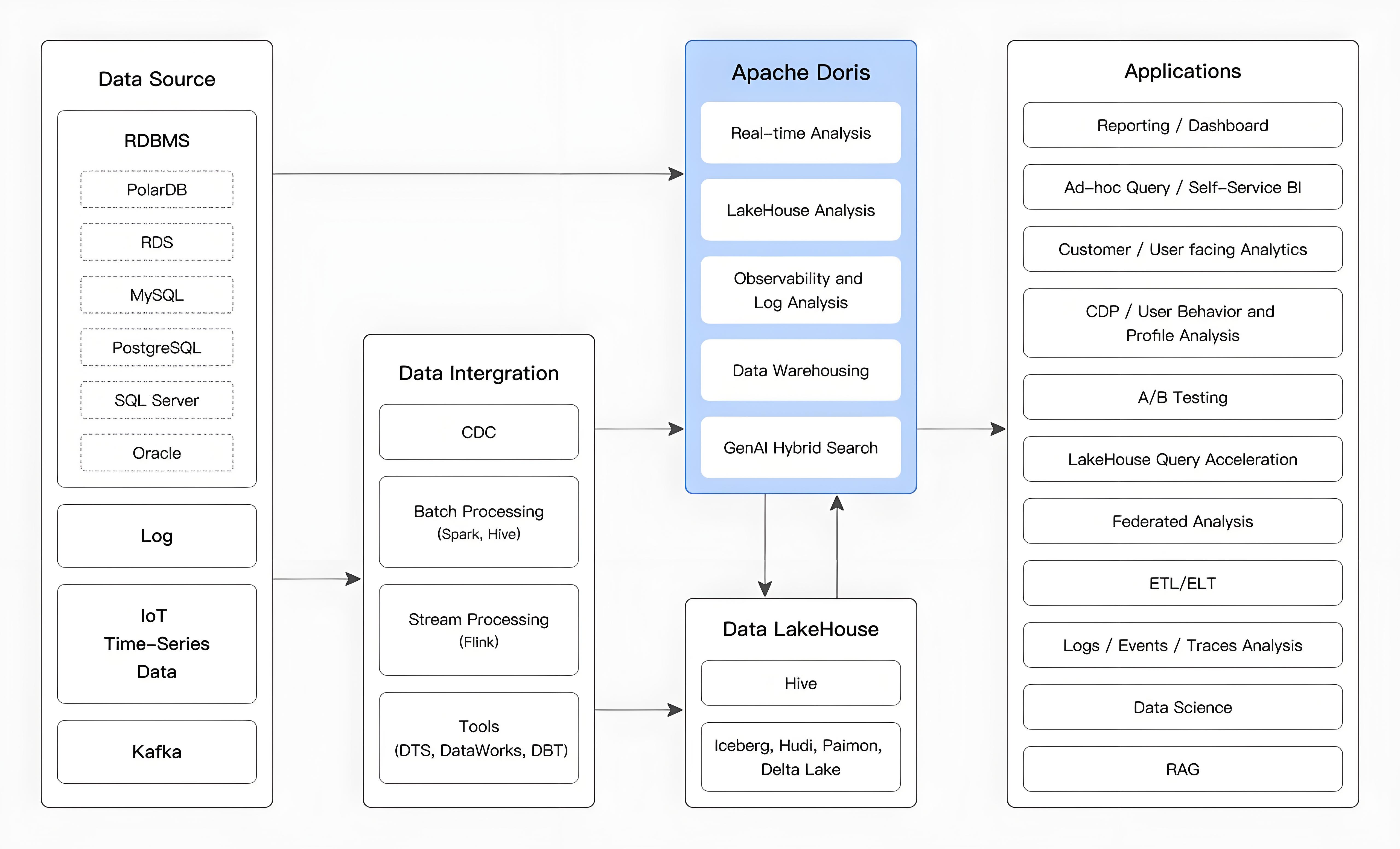
一、部署
1. flink服务集群
- 下载相应安装包(如flink-1.18.0-bin-scala_2.12.tgz),解压
- 配置目录环境:export FLINK_HOME=/path/to/
- 启用服务(运行多次可启动多个服务):./bin/start-cluster.sh
- 停止服务:./bin/stop-cluster.sh
2. cdc同步服务
- 下载相应安装包(如flink-cdc-3.3.0-bin.tar.gz),解压
- 将mysql-connector.jar和flink-cdc-connectors.jar文件复制到lib目录下
- 配置mysql2doris.yaml文件,开启cdc同步服务
- 配置目录环境:export FLINK_HOME=/path/to/
- 启用服务(运行多次可启动多个服务):bash bin/flink-cdc.sh mysql-to-doris.yaml
3. 可视化-web端
- flink:http://localhost:8081/
- doris:http://localhost:8030/ , 默认账号:root,密码为空
二、使用案例
1. 同步MySQL数据到Doris
配置文件:mysql2doris.yaml
source:
  type: mysql
  hostname: localhost
  port: 3806
  username: root
  password: 123456
  tables: app_db.\.*
  server-id: 5400-5404
  server-time-zone: UTC

sink:
  type: doris
  fenodes: 127.0.0.1:8230
  benodes: 127.0.0.1:8140
  username: root
  password: ""
  table.create.properties.light_schema_change: true
  table.create.properties.replication_num: 1

pipeline:
  name: Sync MySQL Database to Doris
  parallelism: 2
运行指令:
bash bin/flink-cdc.sh mysql-to-doris.yaml